Company Settings
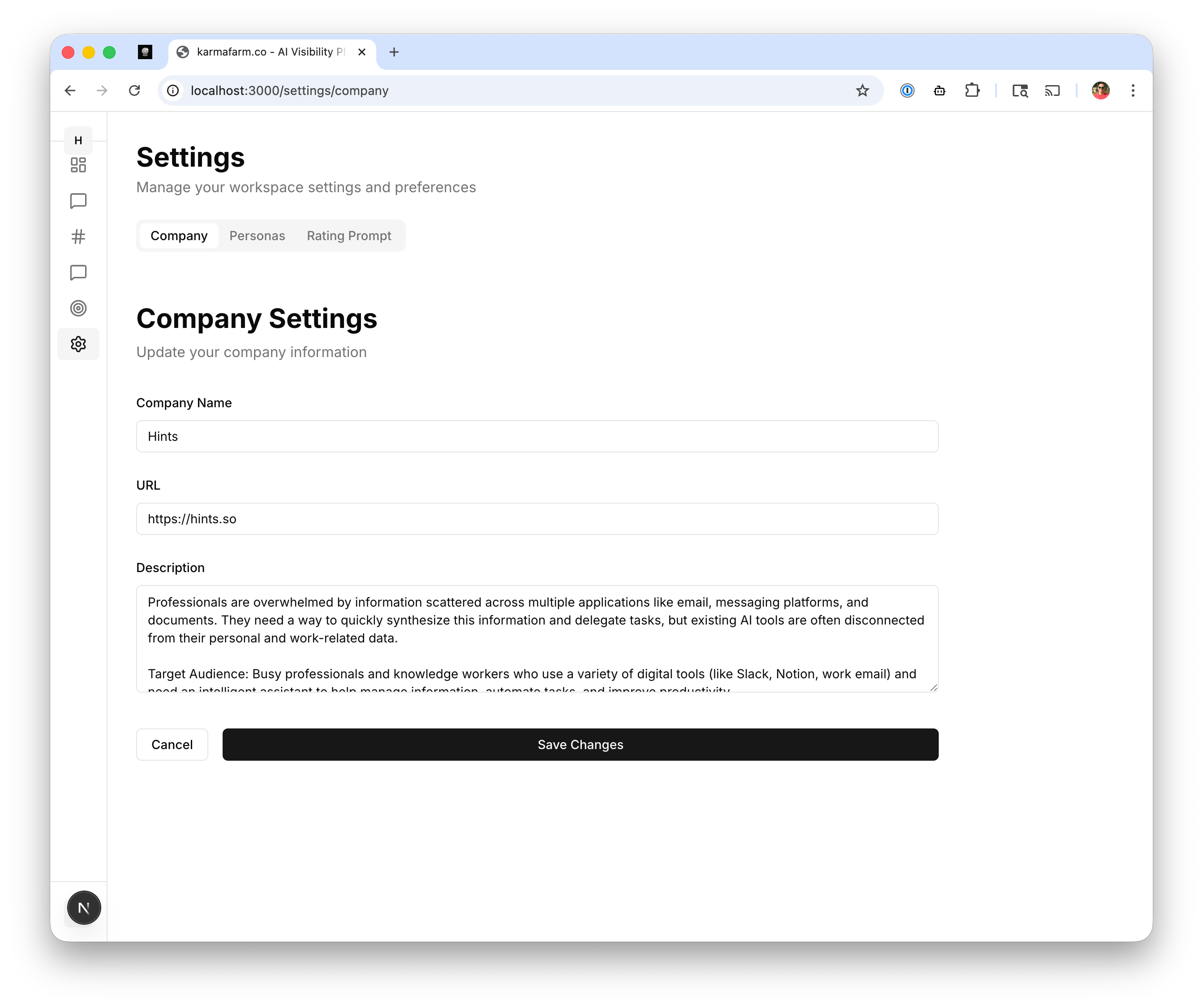
Company Name
Your business or product name. This appears in generated responses when mentioning your company.URL
Your website URL. Used for extracting company information and linking in responses.Description
A detailed description of your product, including:- What problem you solve
- Key features and benefits
- Target audience
Updating Company Settings
- Edit any field
- Click Save Changes to apply
Personas
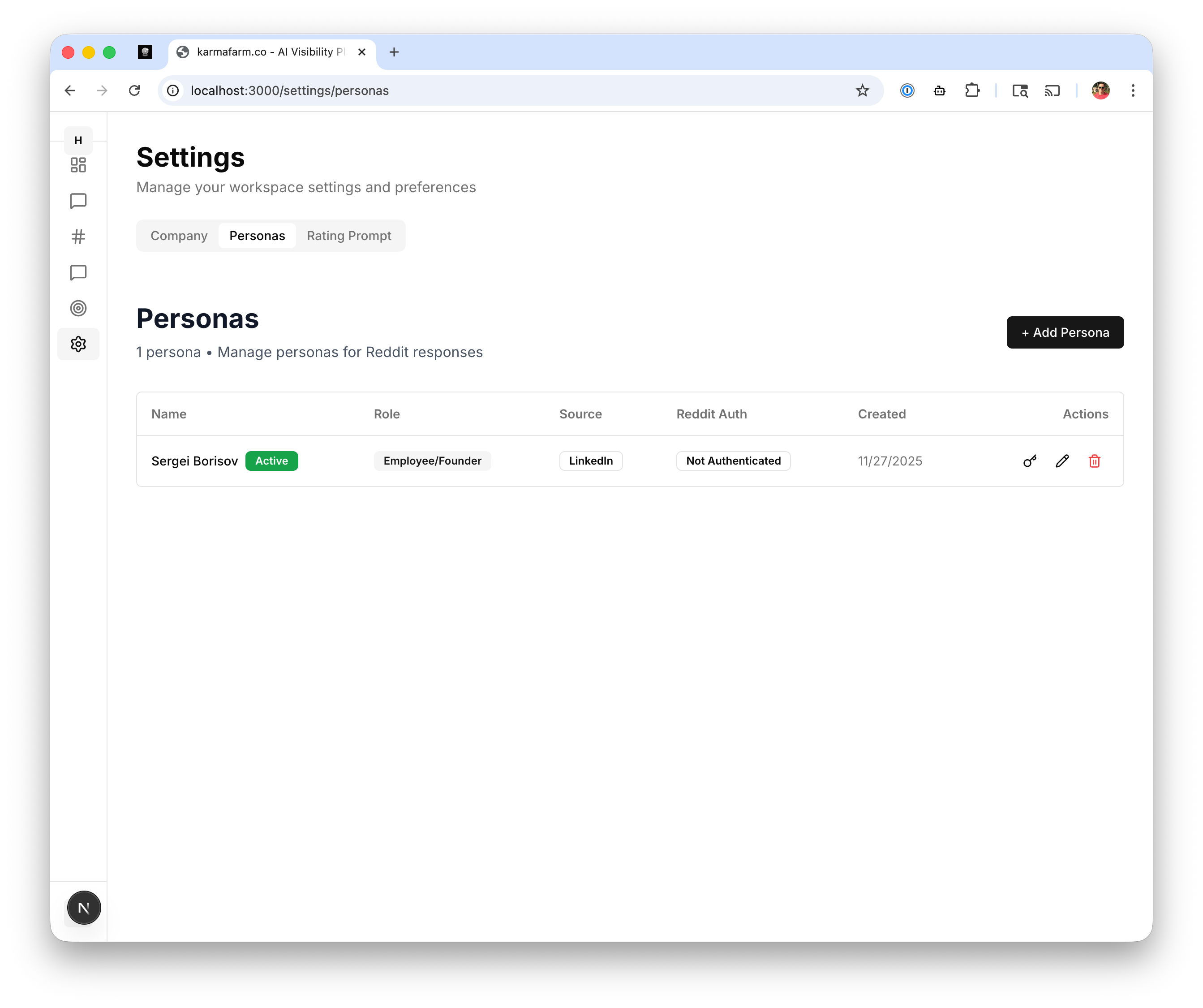
Viewing Personas
The Personas tab shows all configured personas with:Adding a Persona
Click + Add Persona to create a new posting identity:- Name: The name that appears on posts
- Role: How the persona relates to your product
- Employee/Founder: Direct association with your company
- Customer: Speaking as a satisfied user
- Industry Expert: Providing professional advice
- Source: Optional link to verify identity (LinkedIn, Twitter)
- Reddit Account: Connect for direct posting
Reddit Authentication
To post responses directly from Dabe:- Click the authenticate icon next to a persona
- Log in with your Reddit account
- Authorize Dabe to post on your behalf
Rating Prompt
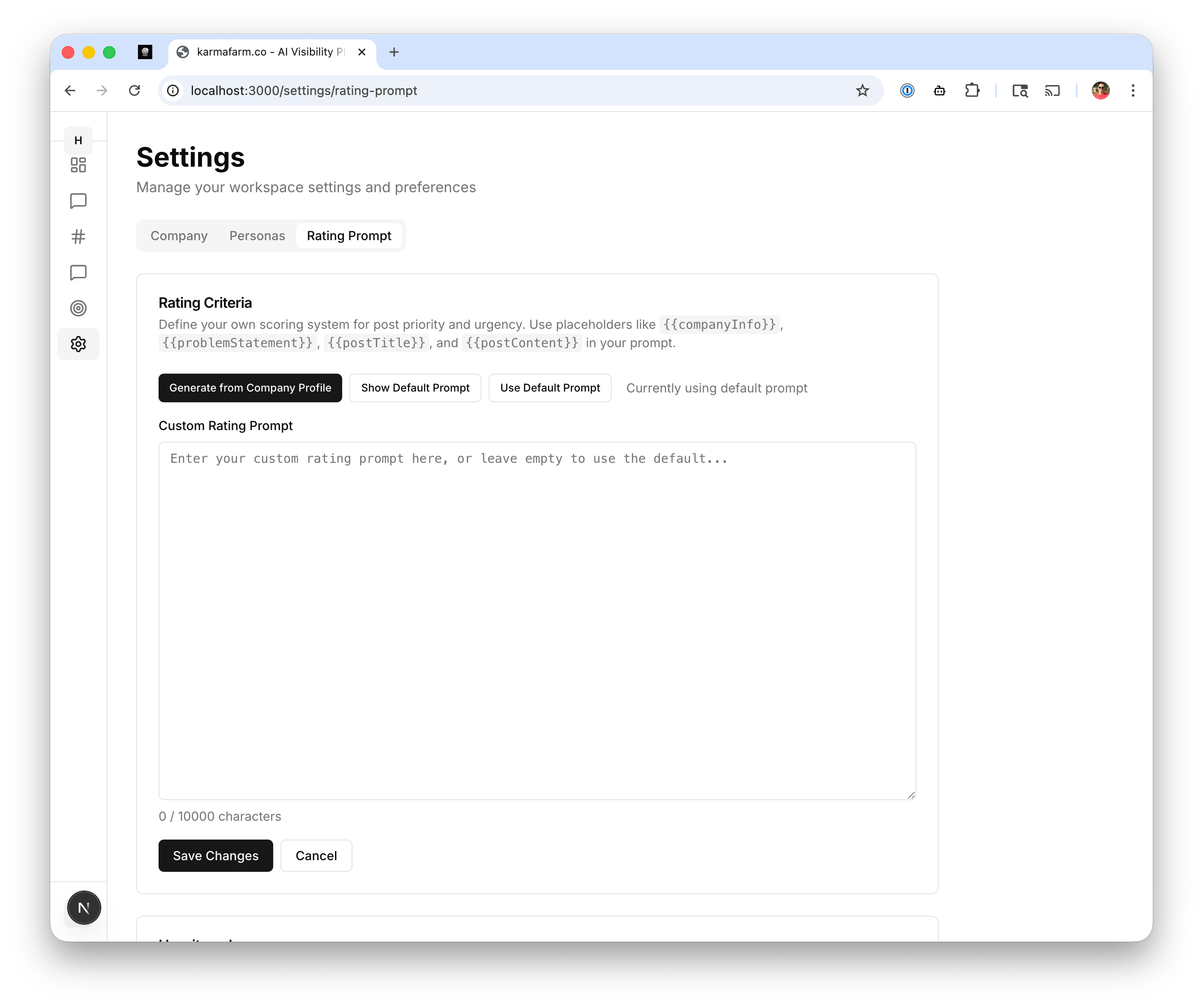
Rating Criteria
Define your own scoring system for post priority using placeholders:{{companyInfo}}- Your company description{{problemStatement}}- The user’s problem or question{{postTitle}}- The Reddit post title{{postContent}}- The full post content
Using the Rating Prompt
- Generate from Company Profile: Auto-generate criteria based on your company info
- Show Default Prompt: View the built-in rating prompt
- Use Default Prompt: Reset to the default rating system
- Custom Rating Prompt: Write your own criteria