> ## Documentation Index
> Fetch the complete documentation index at: https://docs.mentioned.to/llms.txt
> Use this file to discover all available pages before exploring further.
# Settings
> Manage your workspace settings and preferences
The Settings page lets you configure your workspace, manage personas, and customize how Dabe rates posts.
## Company Settings
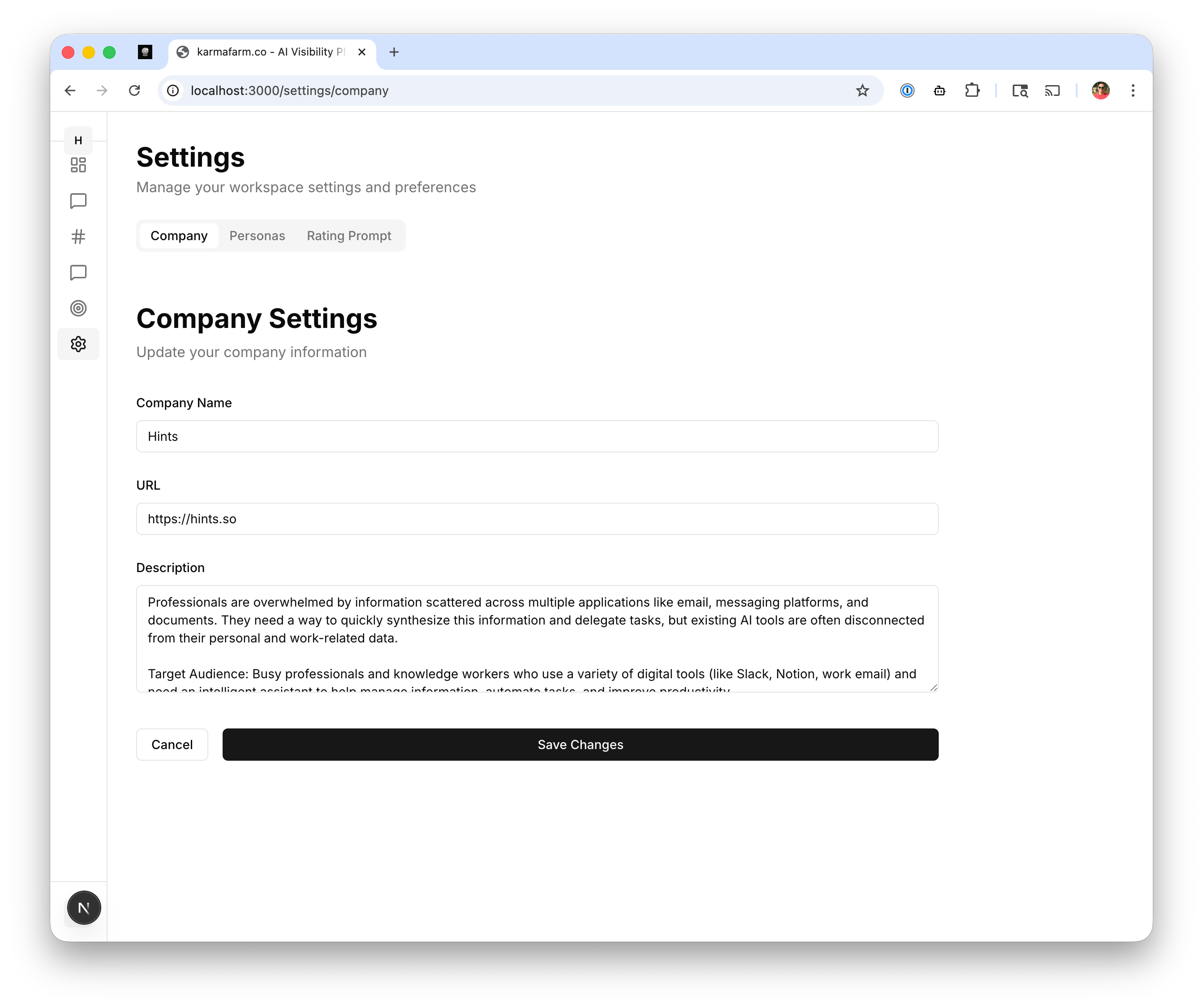 The Company tab contains your business profile information used by AI to generate relevant responses.
### Company Name
Your business or product name. This appears in generated responses when mentioning your company.
### URL
Your website URL. Used for extracting company information and linking in responses.
### Description
A detailed description of your product, including:
* What problem you solve
* Key features and benefits
* Target audience
**Tip:** A well-written description helps the AI generate more accurate, relevant responses that match your brand voice.
### Updating Company Settings
1. Edit any field
2. Click **Save Changes** to apply
***
## Personas
The Company tab contains your business profile information used by AI to generate relevant responses.
### Company Name
Your business or product name. This appears in generated responses when mentioning your company.
### URL
Your website URL. Used for extracting company information and linking in responses.
### Description
A detailed description of your product, including:
* What problem you solve
* Key features and benefits
* Target audience
**Tip:** A well-written description helps the AI generate more accurate, relevant responses that match your brand voice.
### Updating Company Settings
1. Edit any field
2. Click **Save Changes** to apply
***
## Personas
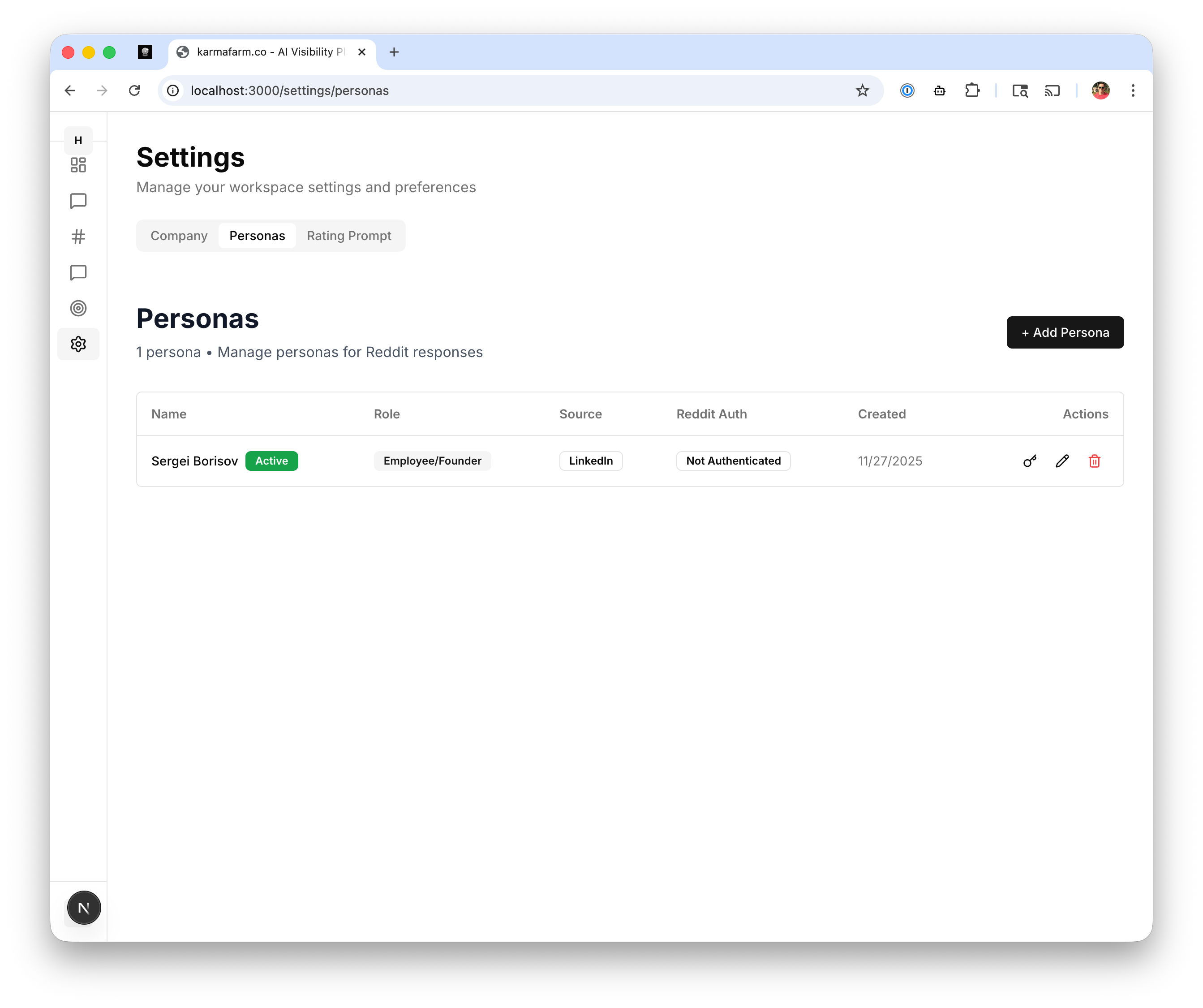 Personas are the Reddit identities used to post responses. Each persona can have a different role and voice.
### Viewing Personas
The Personas tab shows all configured personas with:
| Column | Description |
| ----------- | ----------------------------------------------- |
| Name | Display name for the persona |
| Role | Employee/Founder, Customer, etc. |
| Source | Where persona info was sourced (e.g., LinkedIn) |
| Reddit Auth | Authentication status |
| Created | When the persona was added |
### Adding a Persona
Click **+ Add Persona** to create a new posting identity:
1. **Name:** The name that appears on posts
2. **Role:** How the persona relates to your product
* Employee/Founder: Direct association with your company
* Customer: Speaking as a satisfied user
* Industry Expert: Providing professional advice
3. **Source:** Optional link to verify identity (LinkedIn, Twitter)
4. **Reddit Account:** Connect for direct posting
### Reddit Authentication
To post responses directly from Dabe:
1. Click the authenticate icon next to a persona
2. Log in with your Reddit account
3. Authorize Dabe to post on your behalf
**Note:** Keep personas authentic. Reddit communities can detect inauthentic accounts.
***
## Rating Prompt
Personas are the Reddit identities used to post responses. Each persona can have a different role and voice.
### Viewing Personas
The Personas tab shows all configured personas with:
| Column | Description |
| ----------- | ----------------------------------------------- |
| Name | Display name for the persona |
| Role | Employee/Founder, Customer, etc. |
| Source | Where persona info was sourced (e.g., LinkedIn) |
| Reddit Auth | Authentication status |
| Created | When the persona was added |
### Adding a Persona
Click **+ Add Persona** to create a new posting identity:
1. **Name:** The name that appears on posts
2. **Role:** How the persona relates to your product
* Employee/Founder: Direct association with your company
* Customer: Speaking as a satisfied user
* Industry Expert: Providing professional advice
3. **Source:** Optional link to verify identity (LinkedIn, Twitter)
4. **Reddit Account:** Connect for direct posting
### Reddit Authentication
To post responses directly from Dabe:
1. Click the authenticate icon next to a persona
2. Log in with your Reddit account
3. Authorize Dabe to post on your behalf
**Note:** Keep personas authentic. Reddit communities can detect inauthentic accounts.
***
## Rating Prompt
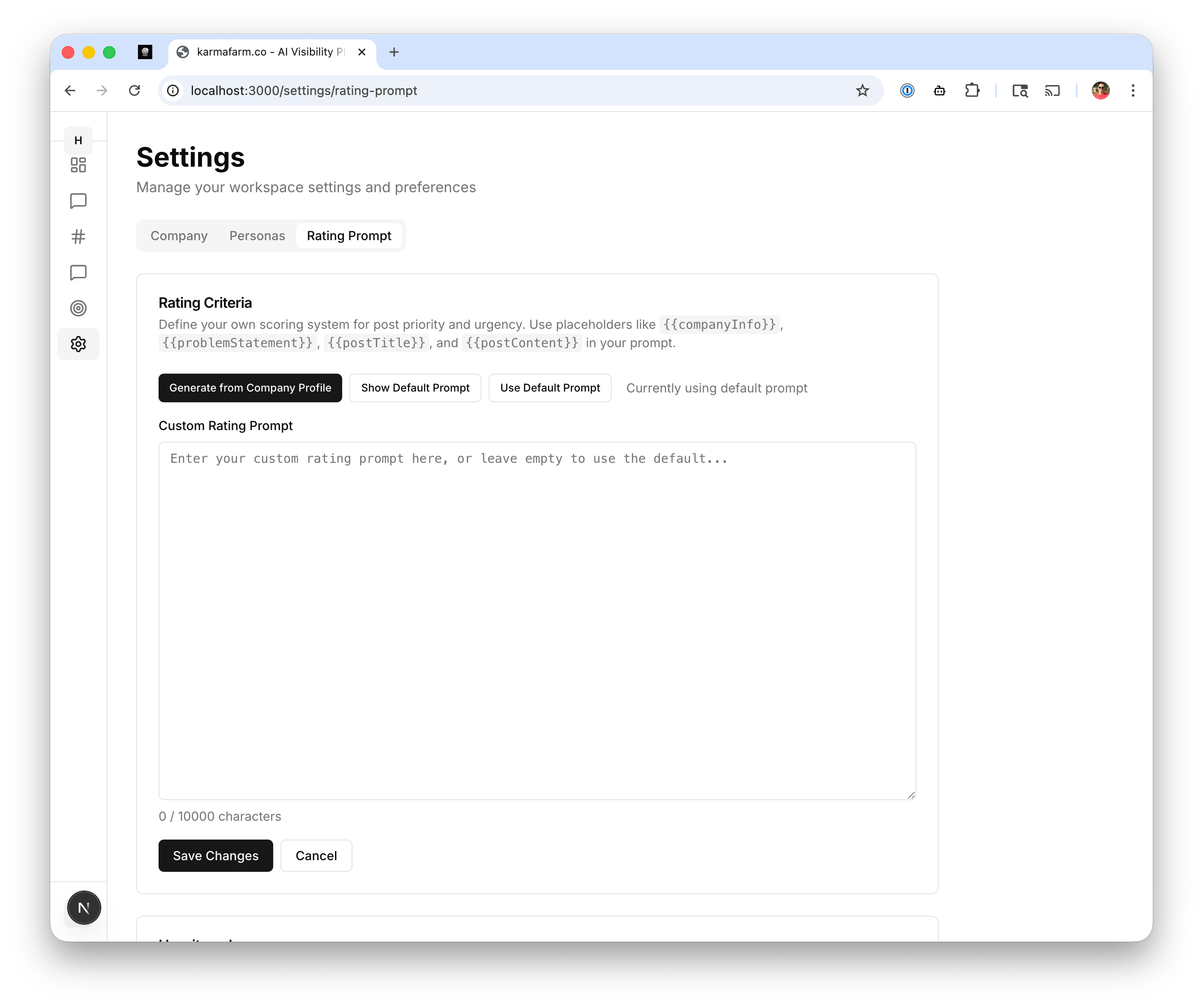 The Rating Prompt tab lets you customize how Dabe scores and prioritizes posts.
### Rating Criteria
Define your own scoring system for post priority using placeholders:
* `{{companyInfo}}` - Your company description
* `{{problemStatement}}` - The user's problem or question
* `{{postTitle}}` - The Reddit post title
* `{{postContent}}` - The full post content
### Using the Rating Prompt
1. **Generate from Company Profile:** Auto-generate criteria based on your company info
2. **Show Default Prompt:** View the built-in rating prompt
3. **Use Default Prompt:** Reset to the default rating system
4. **Custom Rating Prompt:** Write your own criteria
### Custom Rating Prompt
Enter your own prompt to define what makes a high-priority post. For example:
```
Rate this post from 1-10 based on:
- Relevance to {{companyInfo}}
- Buying intent (asking for recommendations vs just complaining)
- Engagement potential (comment count, upvotes)
- Recency
```
### Saving Changes
Click **Save Changes** to apply your custom rating prompt. All new posts will be scored using your criteria.
The Rating Prompt tab lets you customize how Dabe scores and prioritizes posts.
### Rating Criteria
Define your own scoring system for post priority using placeholders:
* `{{companyInfo}}` - Your company description
* `{{problemStatement}}` - The user's problem or question
* `{{postTitle}}` - The Reddit post title
* `{{postContent}}` - The full post content
### Using the Rating Prompt
1. **Generate from Company Profile:** Auto-generate criteria based on your company info
2. **Show Default Prompt:** View the built-in rating prompt
3. **Use Default Prompt:** Reset to the default rating system
4. **Custom Rating Prompt:** Write your own criteria
### Custom Rating Prompt
Enter your own prompt to define what makes a high-priority post. For example:
```
Rate this post from 1-10 based on:
- Relevance to {{companyInfo}}
- Buying intent (asking for recommendations vs just complaining)
- Engagement potential (comment count, upvotes)
- Recency
```
### Saving Changes
Click **Save Changes** to apply your custom rating prompt. All new posts will be scored using your criteria.