> ## Documentation Index
> Fetch the complete documentation index at: https://docs.mentioned.to/llms.txt
> Use this file to discover all available pages before exploring further.
# Posts
> View, filter, and respond to Reddit posts matching your keywords
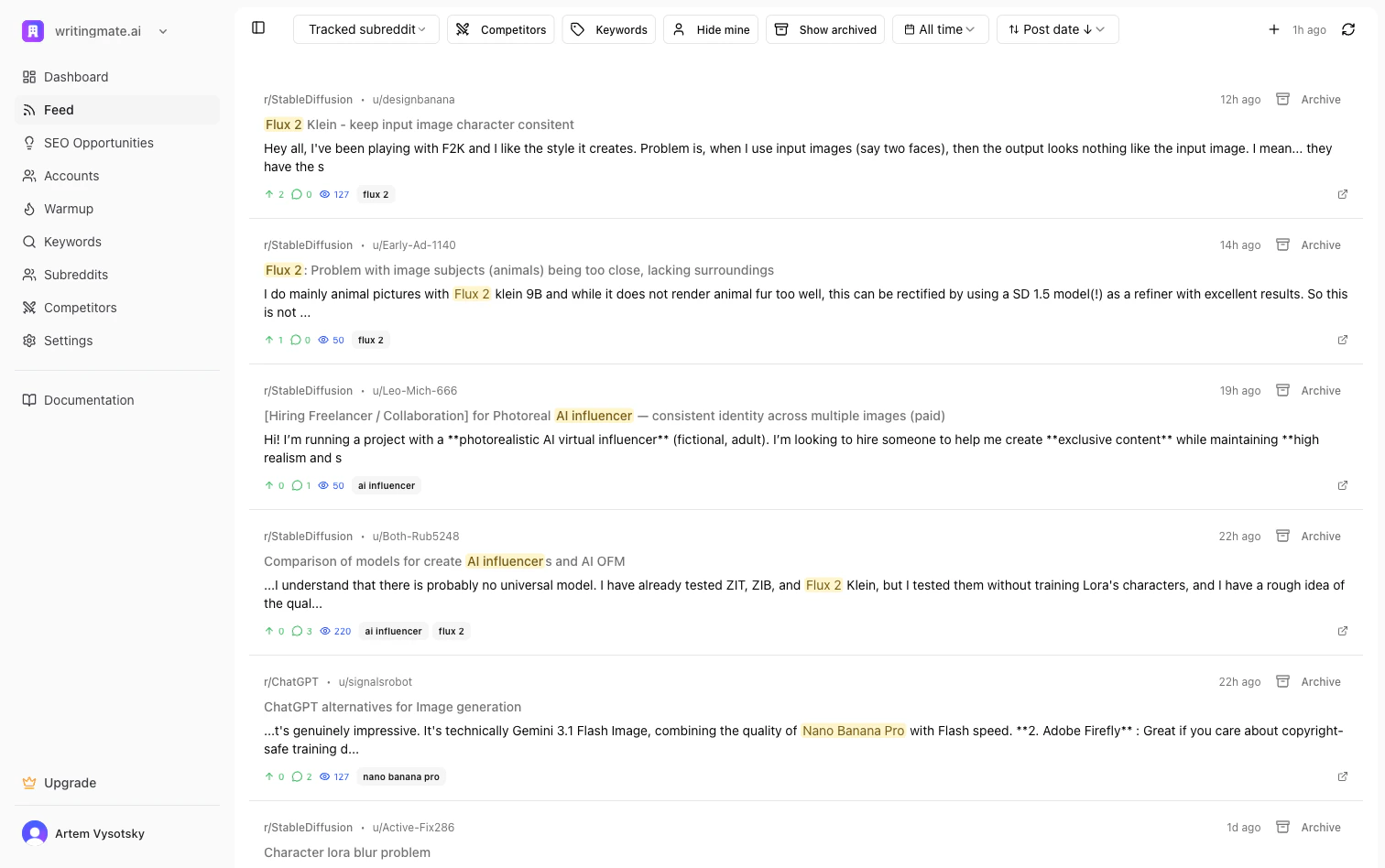 The Posts page (labeled **Feed** in the sidebar) is your command center for discovering and responding to relevant Reddit conversations.
## Viewing Posts
Posts are displayed in a two-panel layout:
* **Left panel:** List of posts matching your keywords and filters
* **Right panel:** Post details and response generation
Each post in the list shows:
* Post title
* Subreddit
* Matched keyword
* Priority rating
The top-right controls also show:
* A **relative last scanned timestamp** (for example, "32m ago")
* A **Scan History** popover with recent completed or failed scans
* A **refresh icon** to start a scan immediately
The Posts page (labeled **Feed** in the sidebar) is your command center for discovering and responding to relevant Reddit conversations.
## Viewing Posts
Posts are displayed in a two-panel layout:
* **Left panel:** List of posts matching your keywords and filters
* **Right panel:** Post details and response generation
Each post in the list shows:
* Post title
* Subreddit
* Matched keyword
* Priority rating
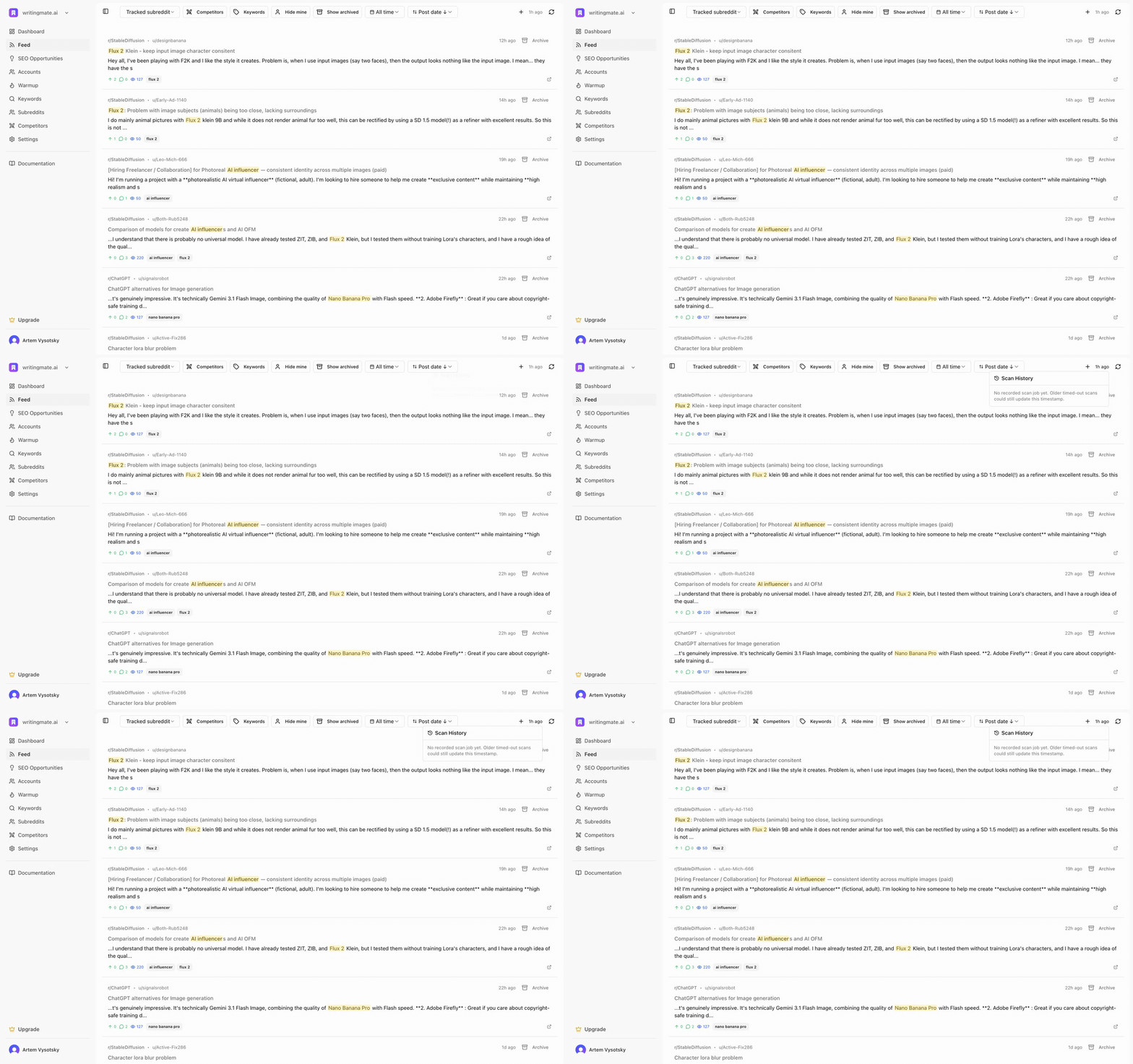
The top-right controls also show:
* A **relative last scanned timestamp** (for example, "32m ago")
* A **Scan History** popover with recent completed or failed scans
* A **refresh icon** to start a scan immediately
 ## Filtering Posts
Use the controls at the top to narrow down your feed:
### Subreddit Filter
Select a specific subreddit or switch between **All Subreddits** and your tracked subreddits.
### Status Filters
* **Unanswered:** Posts you haven't responded to yet
* **Answered:** Posts where you've already posted a response
* **Skipped:** Posts you've marked to skip
* **Comp:** Posts mentioning competitors
### Priority Filter
Sort posts by priority to focus on the highest-value opportunities first.
### Date and Sort Controls
* **Date filter:** Today, This week, This month, or All time
* **Sort menu:** Post date, last comment, upvotes, comments, or competitors
## Importing Posts
Click the **+** button to import a specific Reddit post by URL. This is useful when you find a relevant post outside your monitored keywords.
The imported post will go through:
1. Keyword matching
2. Priority rating
3. Competitor detection
## Generating Responses
When you select a post, the right panel shows:
* Full post content
* Comment thread
* AI response generator
### Generate a Response
1. Select a post from the list
2. Review the post content and existing comments
3. Click **Generate** to create an AI response
4. Edit the response to match your voice
5. Post directly or save as draft
The AI generates responses that are:
* Helpful and authentic
* Non-promotional in tone
* Relevant to the conversation
* Aligned with your company profile
## Keyboard Shortcuts
Navigate and manage posts quickly with keyboard shortcuts:
| Key | Action |
| ------ | --------------------- |
| ↑ or k | Move to previous post |
| ↓ or j | Move to next post |
| a | Archive current post |
| s | Skip current post |
| g | Generate response |
## Scanning for New Posts
Mentioned runs scheduled scans automatically for eligible workspaces, and you can still trigger a scan manually from the Posts page any time.
### Manual Scan
1. Click the **refresh** icon in the top-right of the Posts page
2. Wait for the spinner to stop
3. Check the relative timestamp next to the icon to confirm the latest successful scan
4. Click the timestamp to open **Scan History** if you need to inspect recent runs
Automatic scans continue in the background. Manual scans do not replace them.
### What a Scan Does
A scan:
1. Pulls new Reddit posts for your active keywords
2. Imports keyword-related matches from comments when available
3. Re-checks competitor mentions
4. Rates newly discovered posts for priority and urgency
## Response Types
When generating a response, use the **Response Type** dropdown to set the tone:
* **Soft Promo:** Mentions your product naturally as one option among several
* **Direct:** More straightforward product recommendation
* **Helpful:** Focuses on solving the problem first, product mention secondary
## Posting to Reddit
After generating and editing your response:
1. Select which **Persona** will post the response
2. Review the final text
3. Click **Post to Reddit** to publish directly
**Note:** Your persona must be authenticated with Reddit to post directly.
## Post Actions
For each post, you can:
* **Mark as answered:** After posting your response
* **Skip:** Remove from your active queue
* **Archive:** Keep for reference without action
## Filtering Posts
Use the controls at the top to narrow down your feed:
### Subreddit Filter
Select a specific subreddit or switch between **All Subreddits** and your tracked subreddits.
### Status Filters
* **Unanswered:** Posts you haven't responded to yet
* **Answered:** Posts where you've already posted a response
* **Skipped:** Posts you've marked to skip
* **Comp:** Posts mentioning competitors
### Priority Filter
Sort posts by priority to focus on the highest-value opportunities first.
### Date and Sort Controls
* **Date filter:** Today, This week, This month, or All time
* **Sort menu:** Post date, last comment, upvotes, comments, or competitors
## Importing Posts
Click the **+** button to import a specific Reddit post by URL. This is useful when you find a relevant post outside your monitored keywords.
The imported post will go through:
1. Keyword matching
2. Priority rating
3. Competitor detection
## Generating Responses
When you select a post, the right panel shows:
* Full post content
* Comment thread
* AI response generator
### Generate a Response
1. Select a post from the list
2. Review the post content and existing comments
3. Click **Generate** to create an AI response
4. Edit the response to match your voice
5. Post directly or save as draft
The AI generates responses that are:
* Helpful and authentic
* Non-promotional in tone
* Relevant to the conversation
* Aligned with your company profile
## Keyboard Shortcuts
Navigate and manage posts quickly with keyboard shortcuts:
| Key | Action |
| ------ | --------------------- |
| ↑ or k | Move to previous post |
| ↓ or j | Move to next post |
| a | Archive current post |
| s | Skip current post |
| g | Generate response |
## Scanning for New Posts
Mentioned runs scheduled scans automatically for eligible workspaces, and you can still trigger a scan manually from the Posts page any time.
### Manual Scan
1. Click the **refresh** icon in the top-right of the Posts page
2. Wait for the spinner to stop
3. Check the relative timestamp next to the icon to confirm the latest successful scan
4. Click the timestamp to open **Scan History** if you need to inspect recent runs
Automatic scans continue in the background. Manual scans do not replace them.
### What a Scan Does
A scan:
1. Pulls new Reddit posts for your active keywords
2. Imports keyword-related matches from comments when available
3. Re-checks competitor mentions
4. Rates newly discovered posts for priority and urgency
## Response Types
When generating a response, use the **Response Type** dropdown to set the tone:
* **Soft Promo:** Mentions your product naturally as one option among several
* **Direct:** More straightforward product recommendation
* **Helpful:** Focuses on solving the problem first, product mention secondary
## Posting to Reddit
After generating and editing your response:
1. Select which **Persona** will post the response
2. Review the final text
3. Click **Post to Reddit** to publish directly
**Note:** Your persona must be authenticated with Reddit to post directly.
## Post Actions
For each post, you can:
* **Mark as answered:** After posting your response
* **Skip:** Remove from your active queue
* **Archive:** Keep for reference without action